Keep customer context
Work with conversations, photos and follow-up in one place. Available messaging channels depend on company setup.
Bring customer conversations, tasks, files and your business website together in GlobalOS, even when you run the business on your own.
✓ $0 to try✓ No credit card required
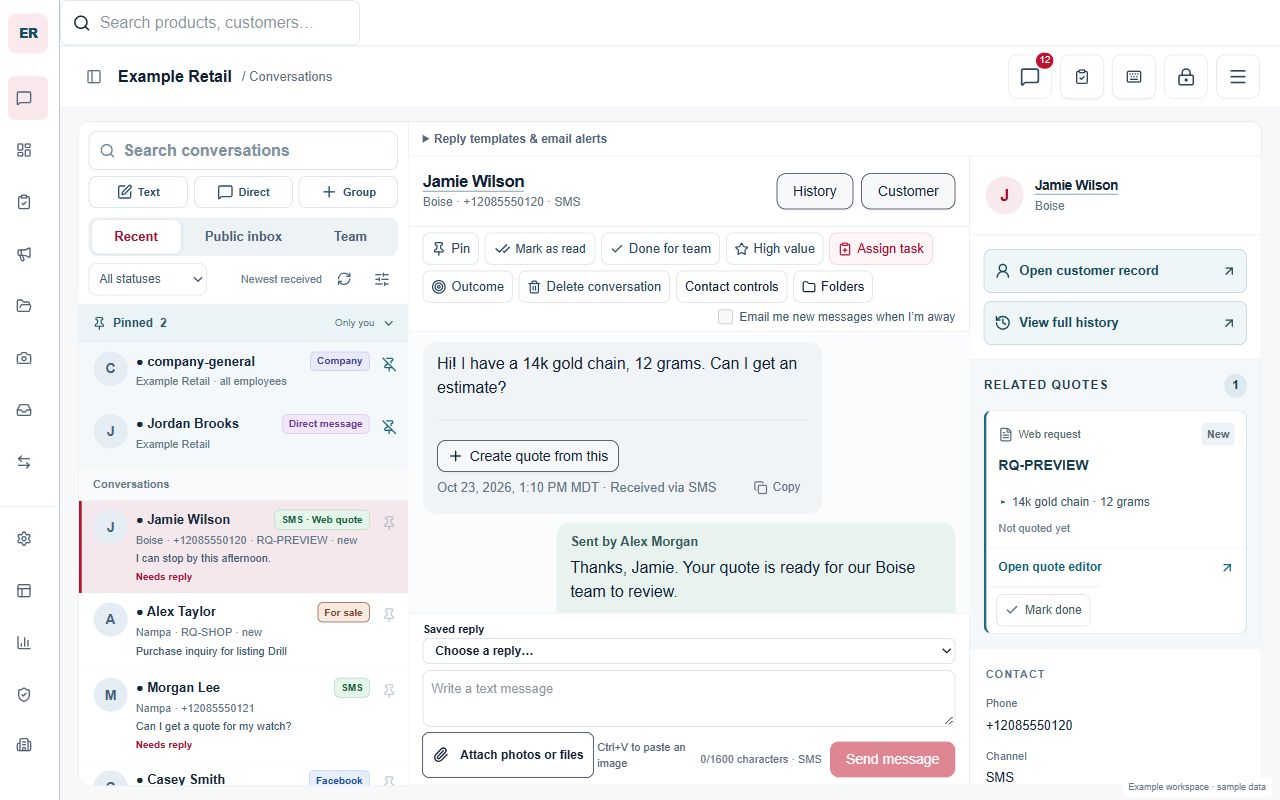
Start with one company workspace and the work you need today. Keep customer context and everyday tasks together, then invite employees when your business needs a team.
Work with conversations, photos and follow-up in one place. Available messaging channels depend on company setup.
Set due dates and organize recurring tasks. Keep working documents and images within reach.
Use guided setup to draft and review your business page before approving publication.
Verify your account, add your company details and select your Google-listed locations.
Edit the suggested copy and review the page before you approve publication.
Open your workspace and choose a workflow. Invite employees and assign access when needed.
Tell us about your business. Our setup guide helps draft your introduction and services, then shows your website for review before you publish it on GlobalOS.
Verified signup required. $0 to try. No credit card.Your brand, your Google-listed locations and what you do.
Use the optional AI guide, edit the draft and approve the page.
Your page starts on GlobalOS. For your own domain, talk with Sam.
No. A company workspace can be used by a solo business operator. You can invite employees later.
Yes. Company setup and workspace access require a verified account. Existing members can sign in to their assigned company.
No. Messaging channels, website domains and other integrations can require additional setup. Available features depend on your company configuration and permissions.
Start with your business and one workflow you want to bring together.
Feature availability, usage allowances and integrations depend on company setup.